 TURBION
See a turbofan work, stage by stage, in 3D
TURBION puts a two-spool turbofan under an airliner wing and computes its thermodynamic cycle, station conditions and velocity triangles live as you change the engine and the flight.
Runs in your browser · laptop, tablet or phone · nothing to install
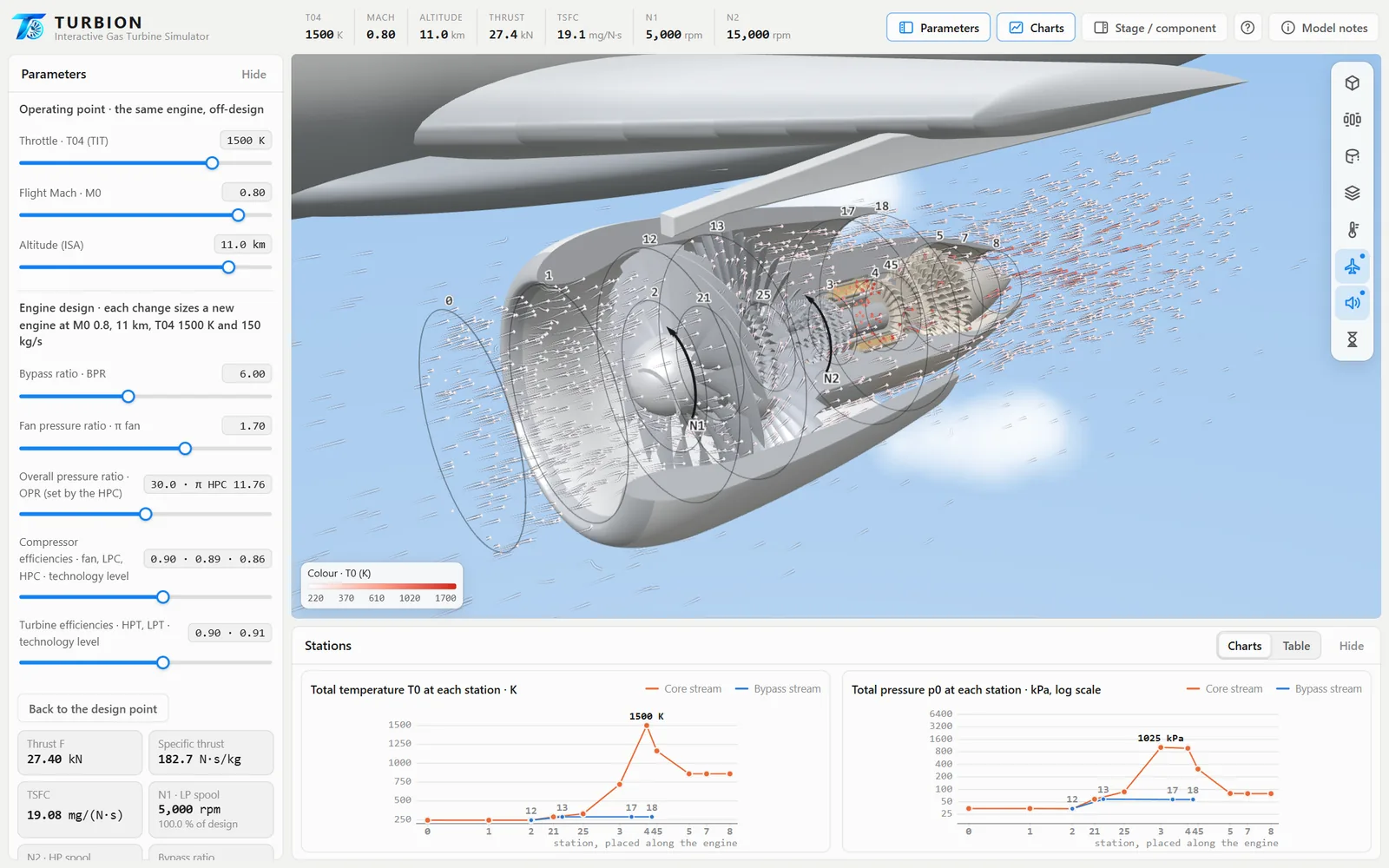
Everything a jet engine does, in one view
Move a slider and the whole engine answers: the cycle is solved again, the charts redraw and the blades turn at the new spool speeds.
Live thermodynamic cycle
Total temperature and pressure at every engine station, for the core and the bypass stream, with thrust and specific fuel consumption.
Velocity triangles
The blade cascade and the C, W and U vectors of the fan, compressors and turbines, with flow coefficient, stage loading and reaction.
Design and off-design
Re-design the engine with bypass ratio, fan pressure ratio and OPR, or fly the same engine at another throttle, Mach number and altitude.
Exploded view
Pull the engine apart into intake, fan, booster, HPC, combustor, turbines, nozzles and shafts, and open any part to see what it does.
Visible airflow
Particles follow the core and bypass streams, coloured by temperature, pressure or velocity, with slow motion to watch the spools turn.
Works anywhere
A web app: open it on a laptop, tablet or phone, or install it so it runs in its own window. Updates arrive automatically.
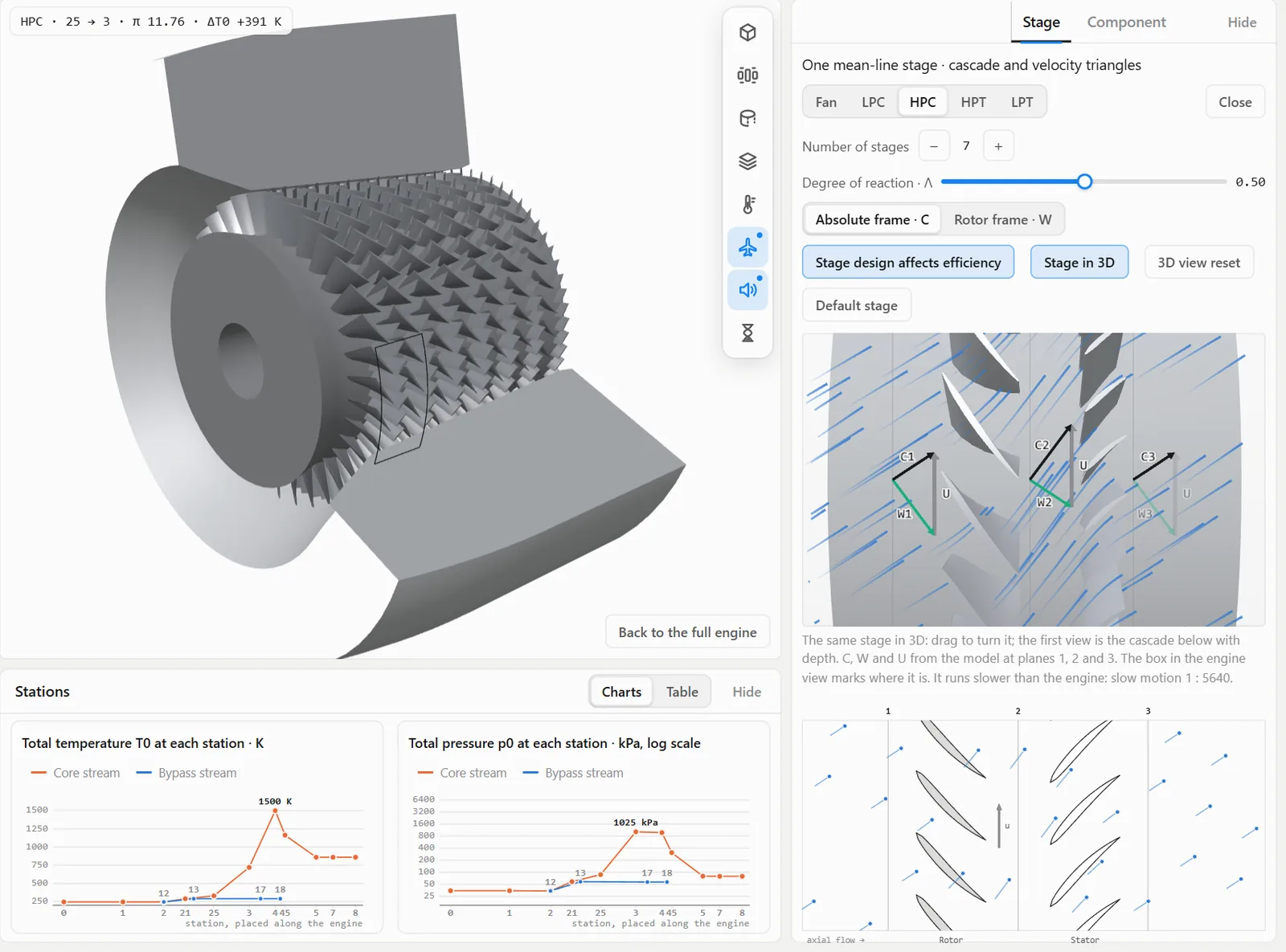
Velocity triangles you can turn around
Click a fan, compressor or turbine to open one mean-line stage. Change the number of stages or the degree of reaction and see how velocities, diffusion and efficiency respond.
- Absolute and rotor frames
- The stage in 3D, next to the 2D cascade
- De Haller number and typical design ranges flagged
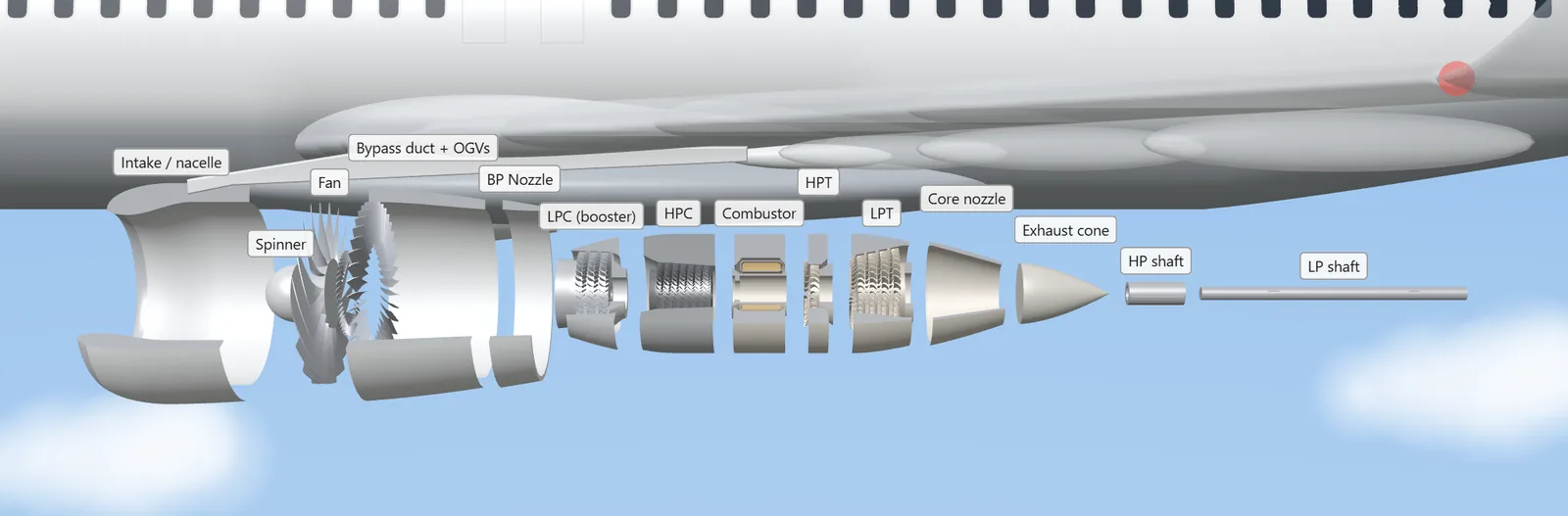
Take the engine apart
The exploded view lays every component out along the axis. Pick one to read its function, what happens to the flow through it and its live numbers from the model.
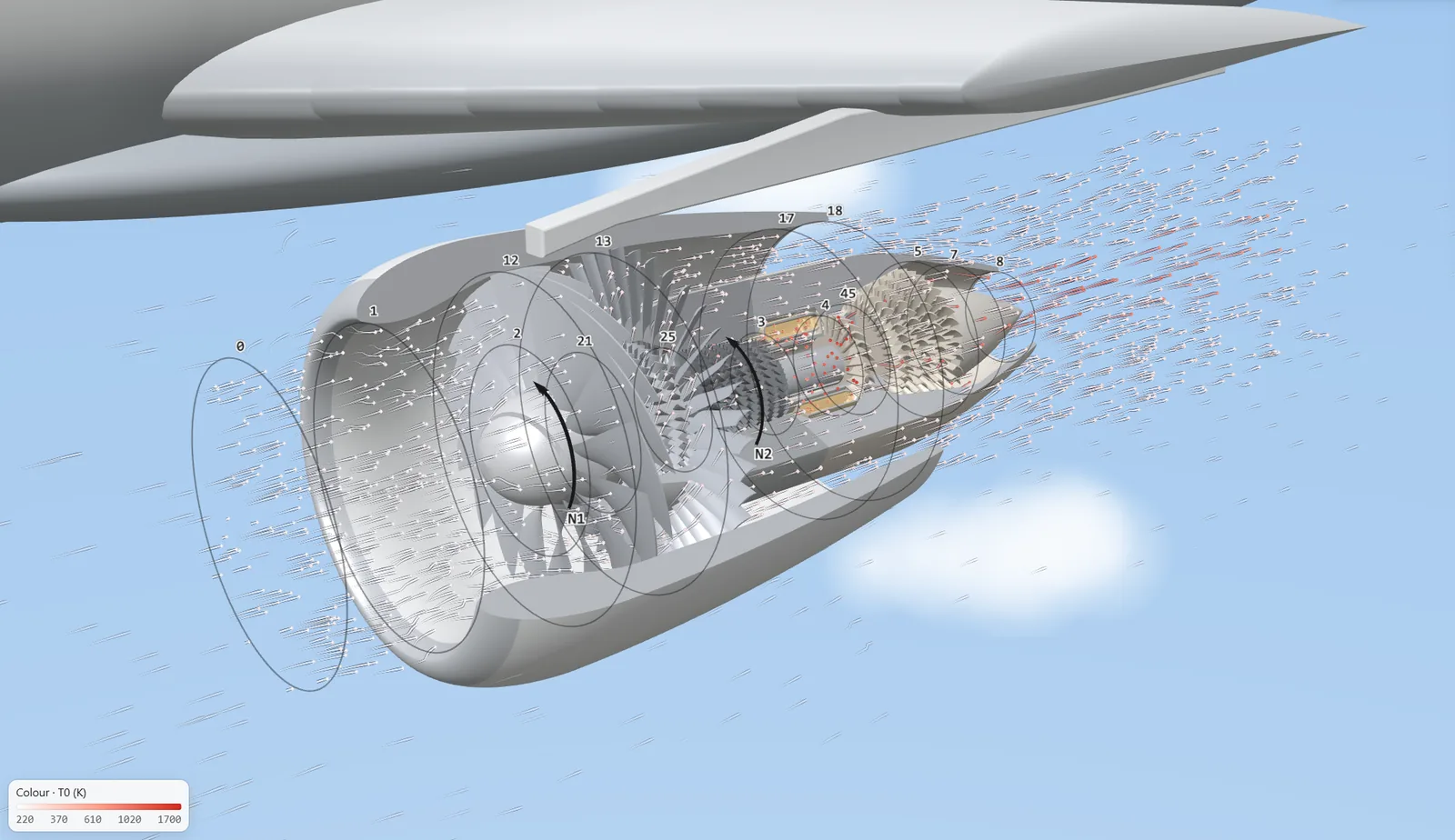
Standard station numbering
Stations follow the usual engine numbering, core 0 to 8 and bypass 12 to 18, so what you see matches what you write in your notes and exams.
What is inside the model
TURBION shows trends and teaches the physics. Every assumption is written down in the app's model notes.
- Engine: two-spool, high-bypass, separate-jet turbofan of the size used on narrow-body airliners.
- Cycle: perfect gas with separate properties for cold gas (cp 1005 J/kg·K, γ 1.4) and hot gas (cp 1148 J/kg·K, γ 1.333), ISA atmosphere.
- Design point: M0 0.8, 11 km, T04 1500 K, 150 kg/s; each design change sizes a new engine with new nozzle areas.
- Off-design: choked turbines, fixed nozzle areas, and spool speeds that follow the compressors' temperature rise.
- Stages: one repeating mean-line stage per component, constant axial velocity, φ, ψ and Λ at three planes.
- Losses: compressor profile loss from the diffusion factor plus shock loss; turbine loss from blade deflection; the engine is re-solved with the resulting efficiencies.
Who it is for
Built for anyone learning or teaching aircraft propulsion and turbomachinery.
For students
Personal access for your studies, on all your devices.
Beta · limited places
- Full simulator, including all updates during the beta
- Sign in with a one-time code sent to your email
- One-time payment, no subscription
For educators
Use TURBION in classes, labs and assignments.
- Licences for a whole class or department
- Show the cycle and velocity triangles live on the projector
- Students explore the same engine at home
- A live demo before you decide
Questions
Anything else? Write to angeljaneiroh@gmail.com.
Do I need to install anything?
No. TURBION runs in any modern browser with WebGL 2. You can also install it as an app from the browser menu so it opens in its own window.
Which devices does it work on?
Laptops and desktops give the best experience; tablets and recent phones work too, with the panels stacked.
Is it a real engine?
It is a generic two-spool, high-bypass, separate-jet turbofan of the size used on narrow-body airliners. The cycle and stage models show trends and teach the physics; they are not design values for a specific engine.
How does access work?
After a one-time payment, your email address is added to the access list. You sign in with a one-time code sent to that address. Access is personal.
Can I use it to teach a class?
Yes. Classroom and department licences are available. Write to request a demo and a quote.